Fewer wasted sheets, faster quotes and no cut-list mistakes
Design the cabinets, optimize the sheet cutting, quote from real costs and track every job through the shop. All connected, in your browser, in English or Spanish.
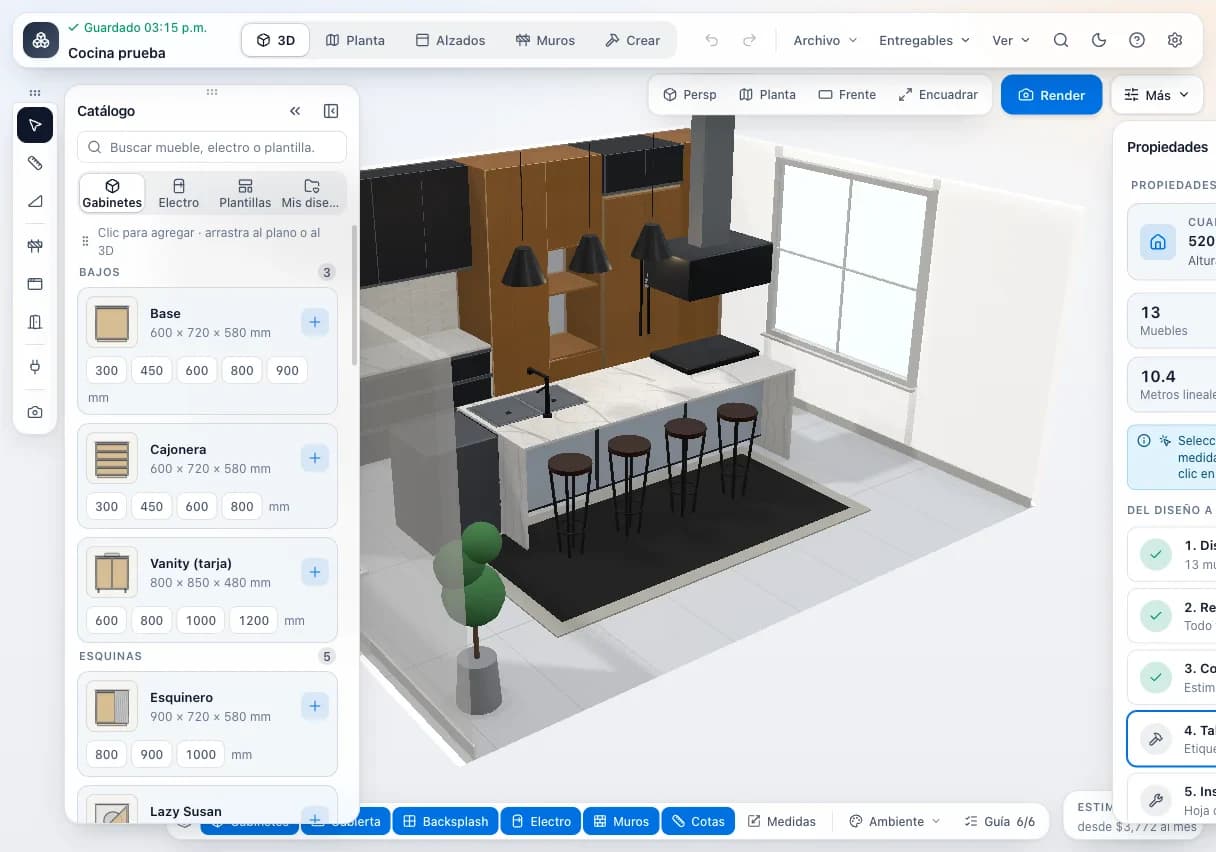
1. Design
Lay out the kitchen, closet or vanity cabinet by cabinet and walk the client through it in 3D.
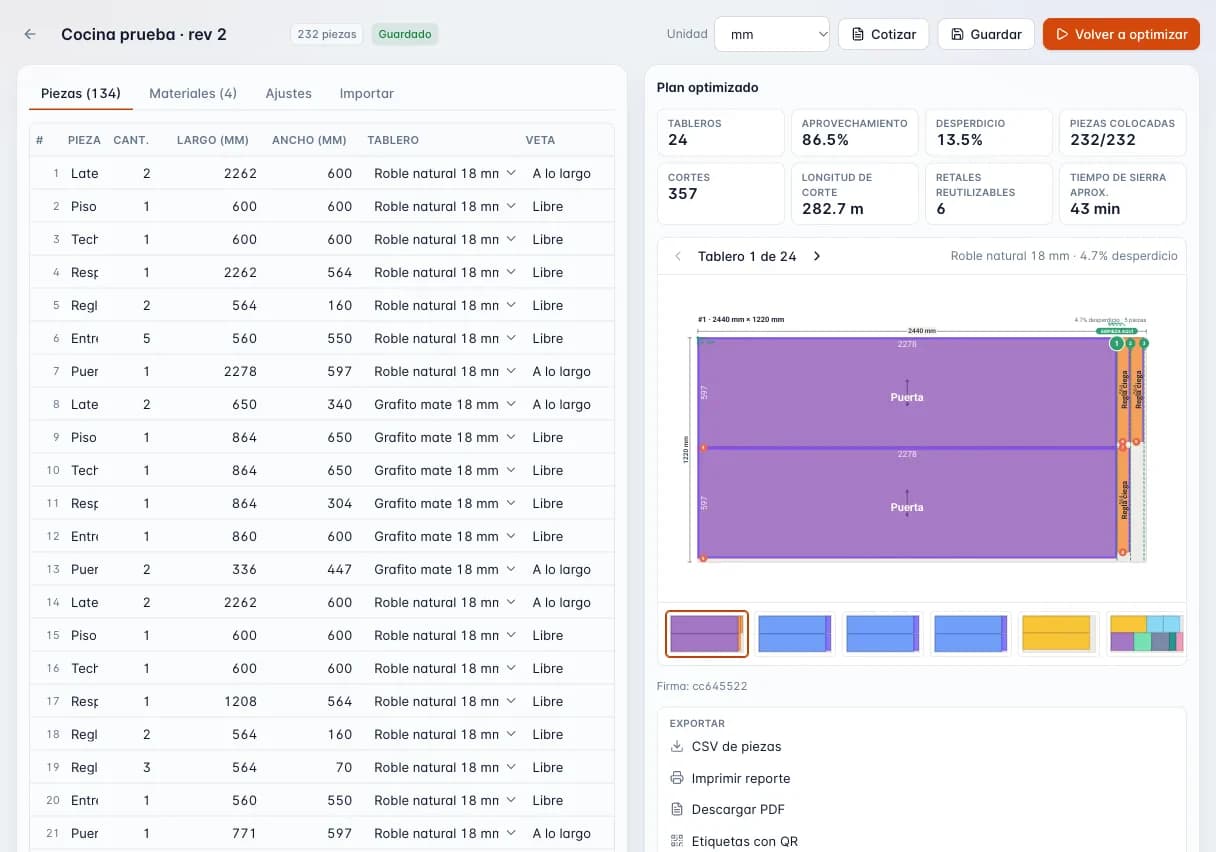
2. Optimize
The cut list reaches the optimizer: sheets, offcuts, QR part labels and CNC files.
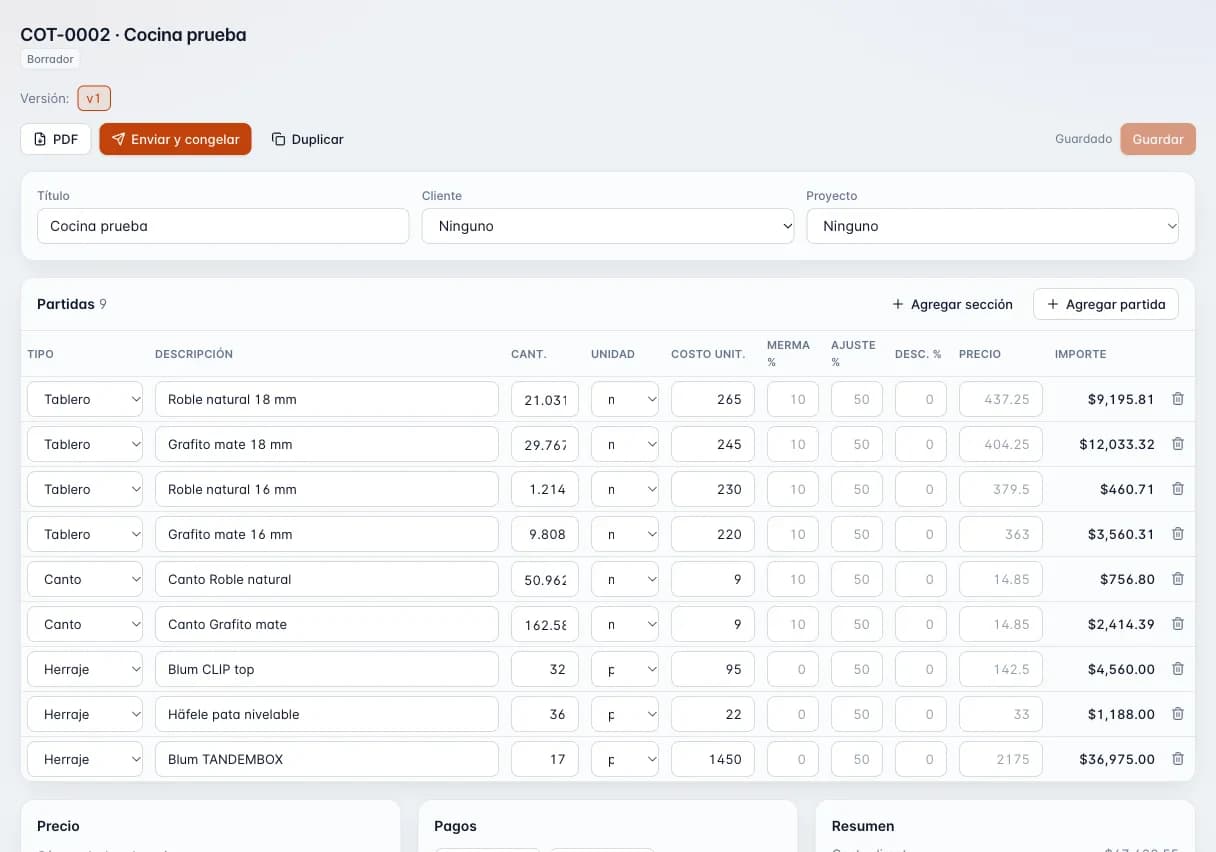
3. Quote
Material, edge banding, hardware and labor with your markup or margin, tax and deposit.
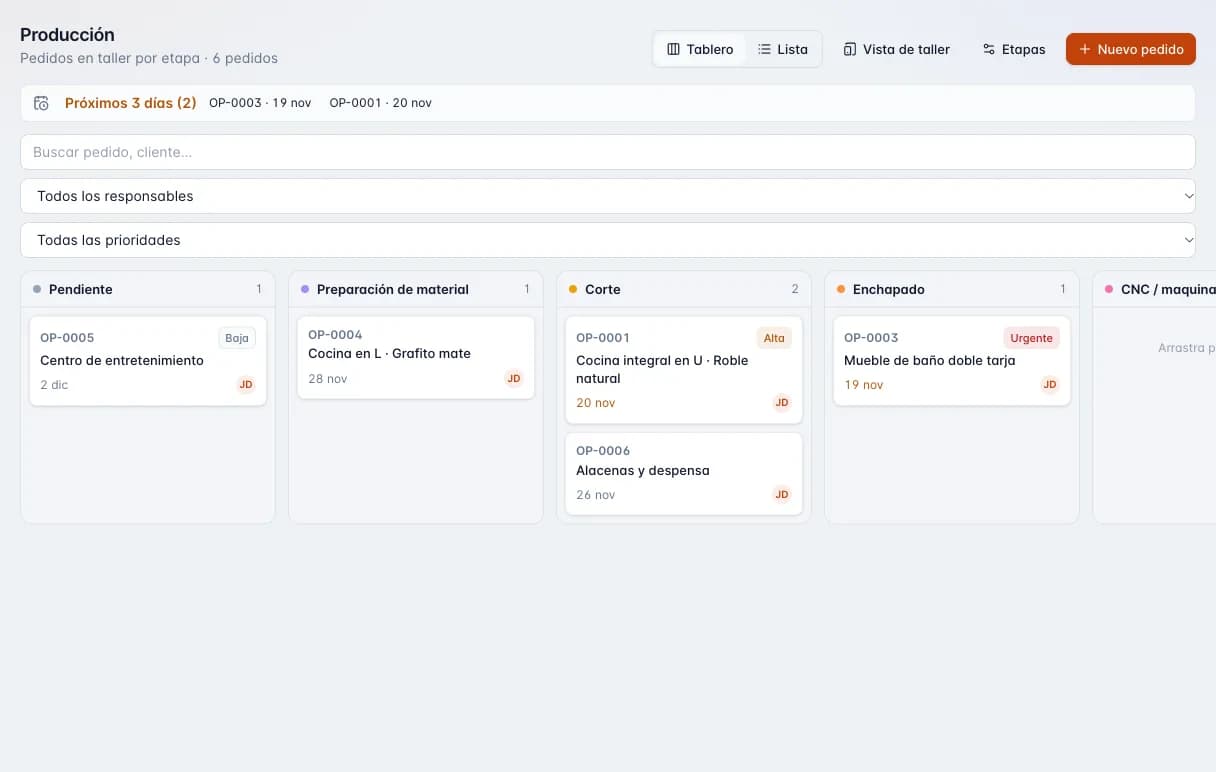
4. Build
An accepted quote becomes a job that moves through your shop's stages.
- Modules
- 5
- From
- $12 USD/mo
- Trial
- 14 days, no card
- Made in
- Culiacán, Mexico
Where a shop leaks money every week
It isn't a skills problem. The cut list, the sheet layout and the quote are done by hand, on paper, in spreadsheets and in text messages, and every step gets retyped.
- Extra sheets
- Layouts done by eye or on paper mean buying sheets you didn't need while offcuts pile up with no sizes on them.
- Cut-list mistakes
- One dimension copied wrong from the drawing to the saw costs you sheet goods, edge banding and labor.
- Quotes that take days
- Adding up sheets, edge banding, hardware and labor by hand is slow, and rushed quotes come in low.
- Jobs nobody can track
- No one knows which stage a job is in until the client calls about the delivery date.
One project, from design to install
What you enter in one step flows into the next. Nothing is typed twice.
- 01
Design
Lay out the kitchen, closet or vanity cabinet by cabinet and walk the client through it in 3D.
Cabinet design - 02
Cut list
Every cabinet generates its parts with size, material and edge banding per side.
Cabinet design - 03
Optimize
The cut list reaches the optimizer: sheets, offcuts, QR part labels and CNC files.
Cutting optimizer - 04
Quote
Material, edge banding, hardware and labor with your markup or margin, tax and deposit.
Quoting - 05
Build
An accepted quote becomes a job that moves through your shop's stages.
Production - 06
Track stock
Material is reserved per job and deducted when the job is done.
Inventory
Built by a working shop, not an office
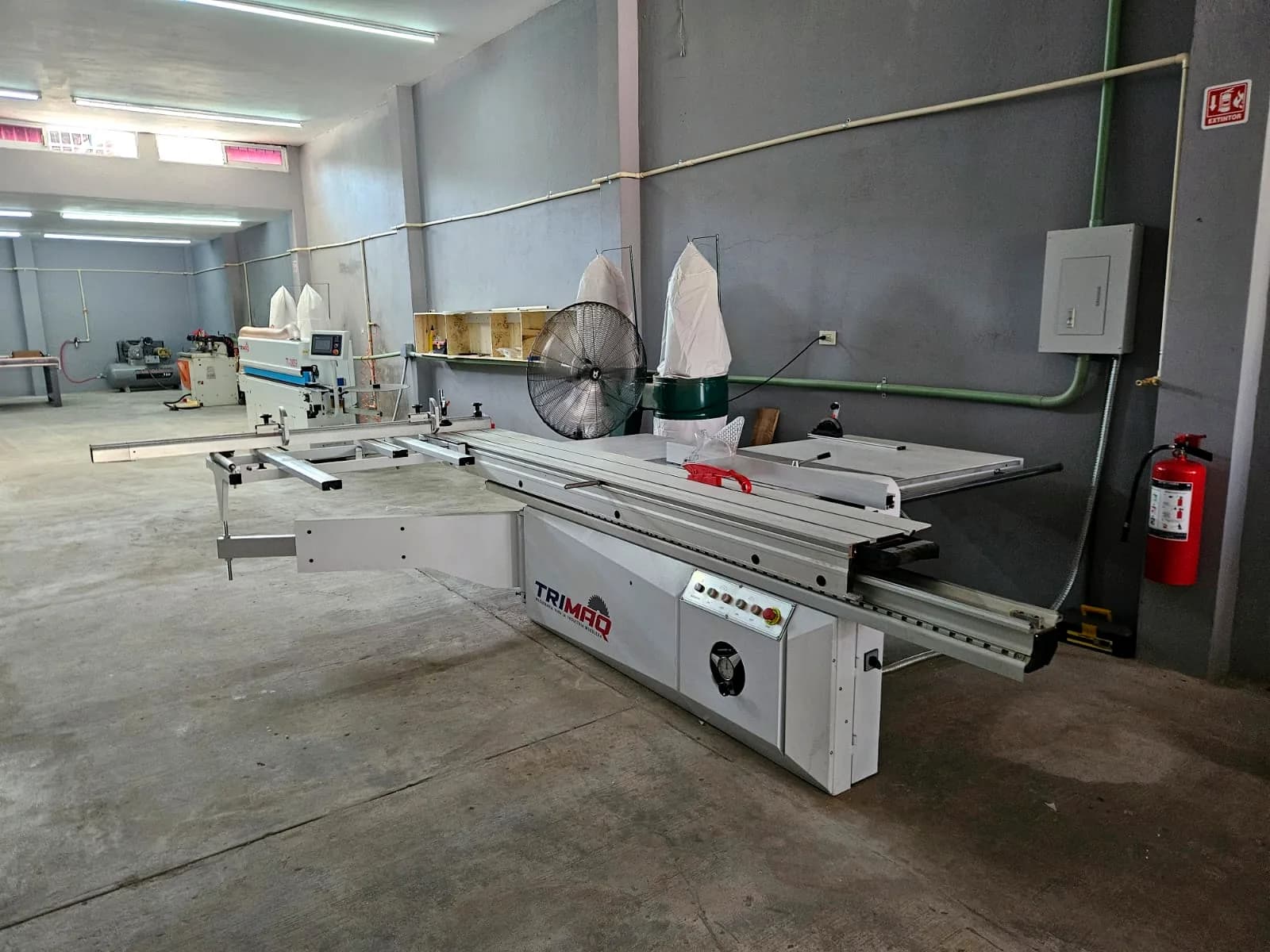
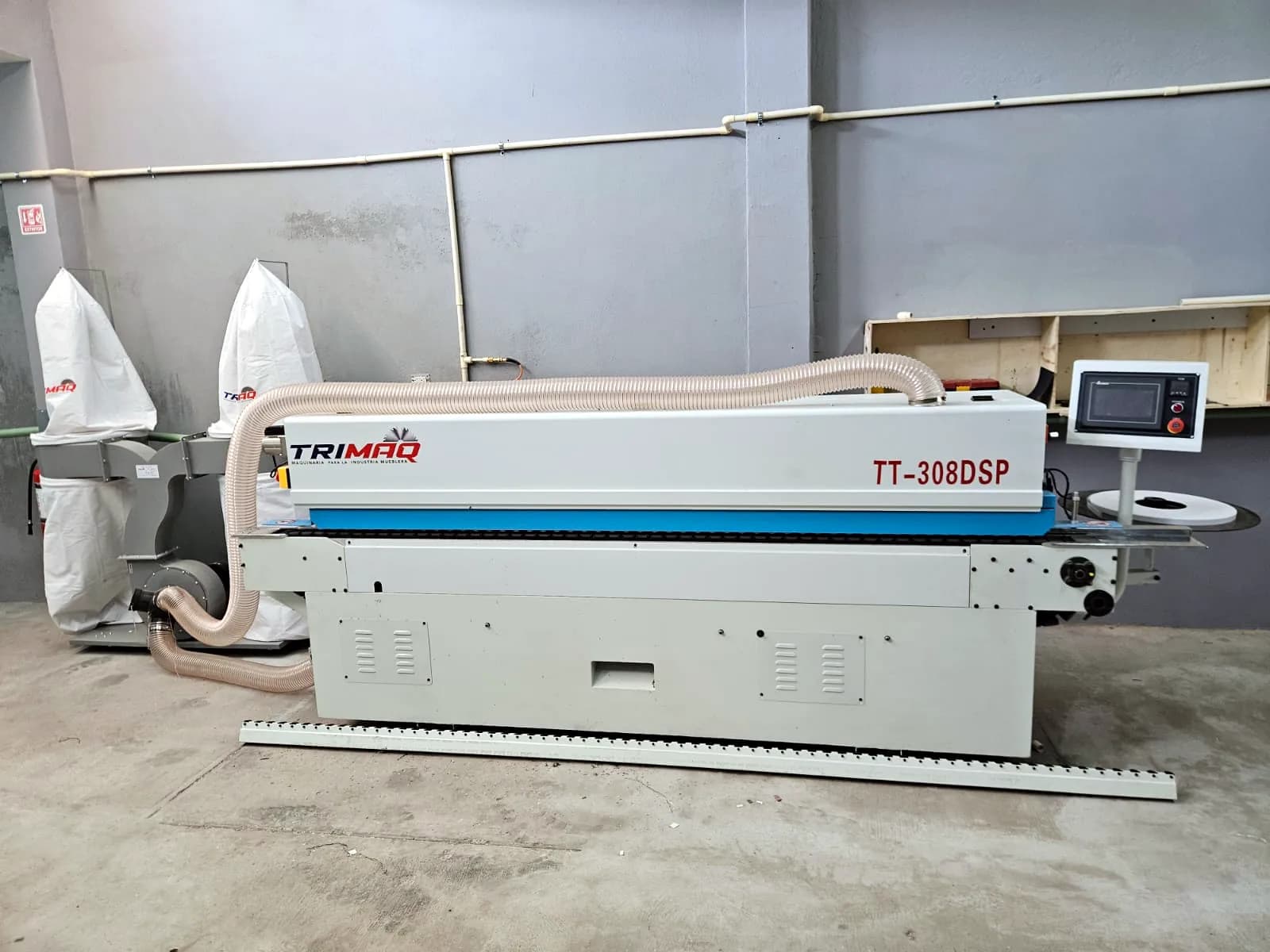
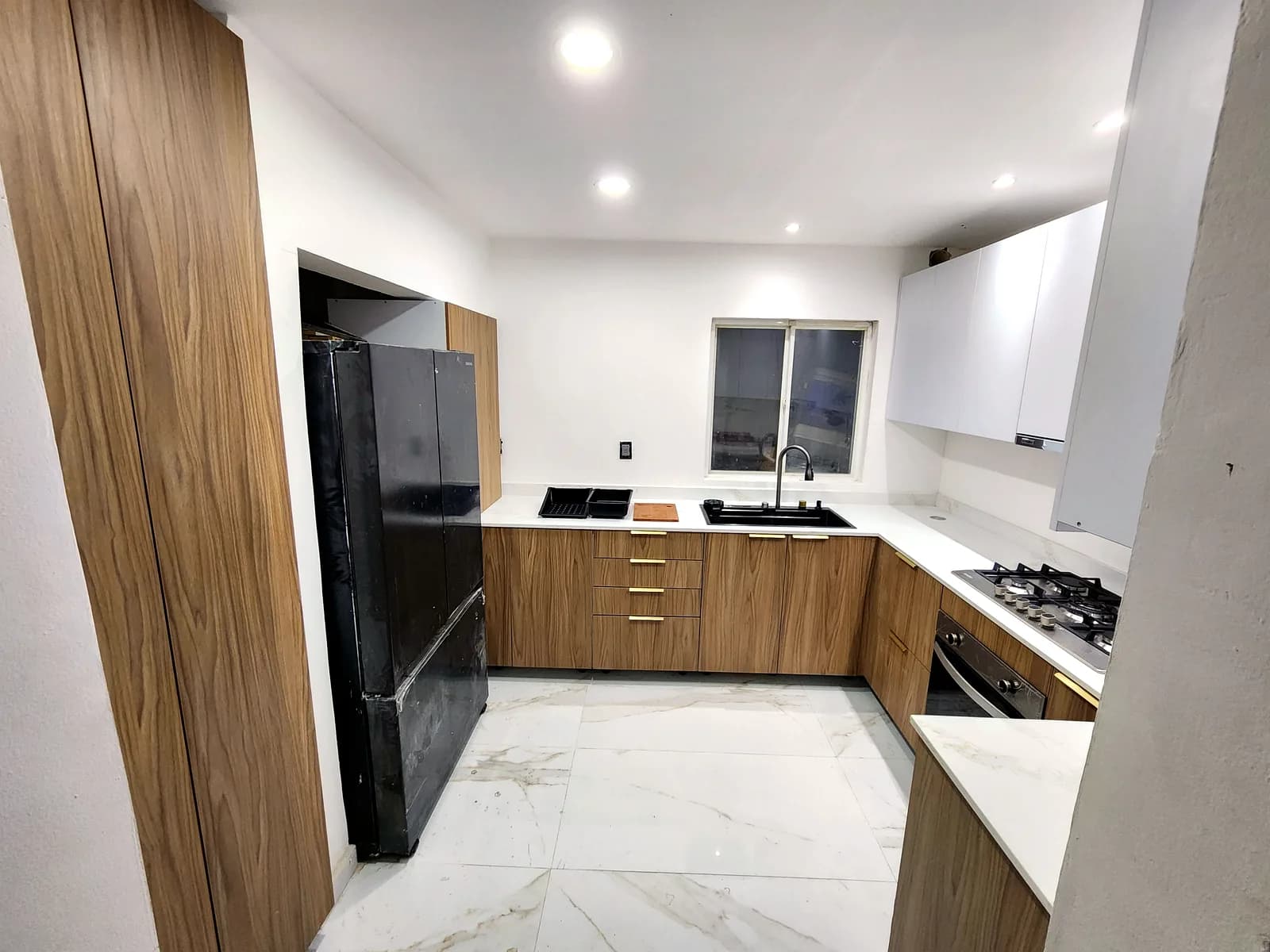
Zeder Studio comes from Zeder Cabinets, a melamine and MDF cabinet shop in Culiacán, Mexico. We built it for our own shop: kitchens, closets and vanities we cut, band and install every week.
That's why it speaks shop language, handles the sheet sizes we actually buy and starts with what saves the most money: cutting.
- Used daily in our own production
- Metric and imperial units, fractions included
- Spanish-first, fully in English too
Five modules that work together
Each module works on its own and is sold separately. Together they share projects, customers and materials.
| Module | What it does | Price |
|---|---|---|
| Cutting optimizer | Type or paste your cut list once and get a layout for every sheet, with grain, kerf and edge trim handled, offcuts tracked and QR part labels ready for the shop. | $15 USD/mo |
| Cabinet design | Lay out the job box by box, walk your client through it in 3D, and get the cut list, hardware and shop drawings on the spot, ready to cut and quote. | $29 USD/mo |
| Quoting | Build quotes from the real cost of sheet goods, edge banding, hardware, labor and installation, pick markup or margin, and send a branded PDF plus a link where your client accepts or declines. | $19 USD/mo |
| Production | A board built around your shop's stages, from the saw to installation. Every job shows where it is, what is running late and what ships this week. | $19 USD/mo |
| Inventory | Log every receipt, issue and adjustment for sheet goods, edge banding and hardware. Reserve material for each job and let it come off the books when the job is done. | $12 USD/mo |
Clear pricing
Pay only for the module you use or bundle several. Annual billing gets 2 months free.
Free
Try the optimizer on small jobs.
$0 USD
Workshop
Design → cut → quote, connected.
$49 USD/mo
22% less than separately
Professional Suite
Every module, 3 users and your brand.
$79 USD/mo
16% less than separately
How it compares
A comparison by type of tool, no names. Each has its place; here is what changes.
| Spreadsheets | Desktop cabinet software | Online cut optimizers | Zeder Studio | |
|---|---|---|---|---|
| Optimizes the sheet layout | No | Yes | Yes | Yes, guillotine or nesting |
| 3D cabinet design | No | Yes, often advanced | No | Yes |
| Quotes from real costs | By hand | Varies | No | Yes, from the design |
| Production tracking | By hand | Varies | No | Yes, by stage |
| Runs on Mac, tablet and phone | Partly | Often Windows-only | Yes | Yes, in the browser |
| Nothing to install | No | No | Yes | Yes |
| Works offline | Yes | Yes | No | No |
| Native Spanish shop vocabulary | Whatever you type | Rarely | Varies | Yes, Spanish-first |
| Price | You already have it | From ~US$80/mo or thousands per license | Low | Per module |
Category-level comparison from public information; individual products differ.
Free shop tools
No sign-up. The free optimizer takes up to 50 parts per job and runs in your browser.
Free cutting optimizer
Cut diagrams for your sheets, free and without sign-up (up to 50 parts).
Sheet calculator
How many melamine or MDF sheets you need from your parts and waste.
Edge banding calculator
Meters of edge banding and rolls to buy, per part and per edge.
Markup vs. margin
Selling price from markup or margin, and the difference between them.
mm to inches
Millimeters to fractional inches and back.
Cabinet door size
Overlay or inset door sizes, single or pairs.
Your data stays yours
Your cut lists, prices and customers are the heart of your shop. Here's how we treat them.
- Export everything, anytime
- The account owner downloads all of the company's data in one file, even after a subscription lapses.
- No hostage data
- If you stop paying, your account goes read-only: you can view and export, nothing is deleted for it.
- Every company isolated
- The database separates each company with row-level security: no one else sees your projects.
- Roles and permissions
- Owner, admin, member, viewer and shop floor. Hide costs and prices from people who shouldn't see them.
- Protected sign-in
- Verified email and optional two-factor authentication with an authenticator app.
Frequently asked questions
What is Zeder Studio?
Browser-based software for cabinet and furniture shops: cutting optimizer, 3D kitchen and closet design, quoting, production tracking and inventory, all connected.
Do I need a card to try it?
No. You get 14 days of the Workshop plan (Cut + Design + Quote) without a card. Afterwards your account drops to the Free plan instead of locking.
What does the Free plan include?
The cutting optimizer with up to 50 parts per optimization and 3 saved projects. The public optimizer also works without an account.
Does it work on a phone?
Yes. It runs in the browser on computers, tablets and phones; nothing to install. The Production shop-floor view is built for touch screens.
Does it work offline?
No. It's online software: you need a connection to save and sync. In exchange there's nothing to install and your projects open on any device.
Can I buy just the cutting optimizer?
Yes. Every module is sold separately and you can move to a bundle whenever you want.
Does it export to my CNC?
Yes. The Cut module exports DXF, G-code, MPR (Homag) and CIX (Biesse), plus CSV and PDF. The designer exports the cut list to Excel and drilling plans to DXF.
Does it handle inches and fractions?
Yes. The optimizer works in millimeters, centimeters, decimal inches or fractional inches, and imports cut lists with fractions.
Which payment methods do you accept?
Cards through Stripe, PayPal, and Mercado Pago for payments in Mexican pesos.
Is the 3D designer in English?
Not yet. The rest of the app is fully in English, but the 3D designer screen is Spanish-only for now.
What happens to my data if I cancel?
Your account goes read-only: you can still view and export everything. The owner can download the company's data at any time.
Who is behind it?
Zeder Cabinets, a melamine and MDF cabinet shop in Culiacán, Mexico, that runs its own production on it.
Cut better starting with your next job
Create an account and use the full Workshop plan for 14 days. No card; afterwards you drop to the Free plan, not a lockout.